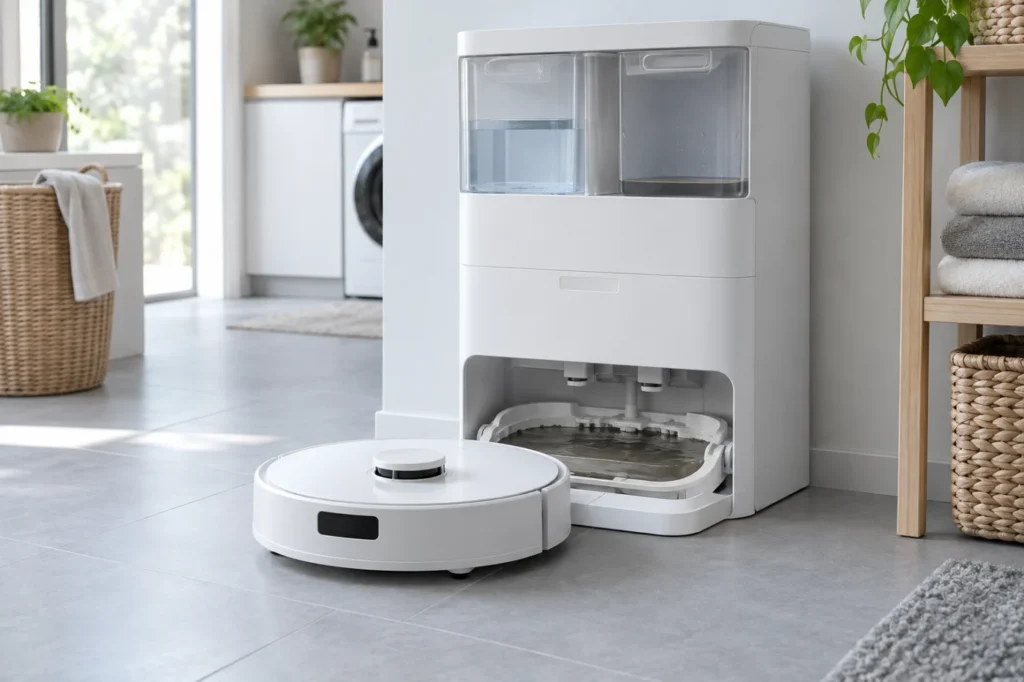
Begin with the quick checks. Stop if a step requires tools or experience you do not have.
Quick answer: If your Ecovacs T20 OMNI dirty water is not recycled, first check whether the station is flashing an alert. Restart the station, reseat the waste-water tank, inspect its lid and sealing plugs, and then run the recovery cycle again. If water remains in the cleaning sink, clean the filter, visible suction opening and water-level sensors.
During normal mop washing, the OMNI station should move used water from the lower cleaning sink into the dirty-water tank. When that process stops, water may remain around the mop-washing area, the waste tank may stay empty, or the station may report that the tank is full even when it contains little or no water.
An Ecovacs T20 OMNI dirty water not recycled problem is often caused by an incorrectly seated tank, an air leak around its lid or seals, debris inside the cleaning sink, a blocked suction opening, or dirty water-level sensors. These external checks should be completed before assuming that the station pump has failed.
Before troubleshooting the T20 OMNI station
- Stop the current cleaning or mop-washing cycle.
- Remove the robot from the station.
- Allow recently heated wash water to cool before touching the cleaning sink.
- Disconnect the station from power before removing debris or wiping components.
- Use gloves when handling dirty water.
- Do not pour water into the station body or electrical openings.
- Do not open the pump, internal hoses or station electronics.
If the cleaning sink is close to overflowing, remove some water with a cup, sponge or absorbent cloth before continuing. Do not repeatedly start washing cycles while the station cannot remove the existing water.
Ecovacs T20 OMNI dirty water not recycled: first checks
| Symptom | Likely area | First check |
|---|---|---|
| Dirty water remains in the cleaning sink | Tank seal, filter or suction opening | Reseat the tank and clean the sink components |
| Waste-water tank remains empty | Air seal or extraction path | Inspect the tank lid and sealing plugs |
| Station says the dirty-water tank is full | Water-level sensors | Wipe both sink sensors with a clean tissue |
| Recovery works only after pressing the tank | Tank not fully seated | Reinstall the tank and press it down evenly |
| Pump sound is heard but water does not move | Blocked filter or suction nozzle | Remove debris from the visible water path |
| Station light flashes | Temporary station alert | Disconnect and reconnect station power |
1. Restart the OMNI station
ECOVACS recommends checking whether the station light is flashing before performing other troubleshooting. A temporary station state can interrupt dirty-water recovery even when the tank and cleaning sink are physically clean.
- Stop the current operation.
- Disconnect the station from the wall outlet.
- Wait approximately 30 seconds.
- Reconnect the station directly to a working outlet.
- Wait for the station to complete its startup.
- Check whether the warning remains.
Do not repeatedly disconnect and reconnect the station without allowing it to finish starting. If the power cable, plug or outlet shows heat damage, stop using the station.
2. Empty and inspect the dirty-water tank
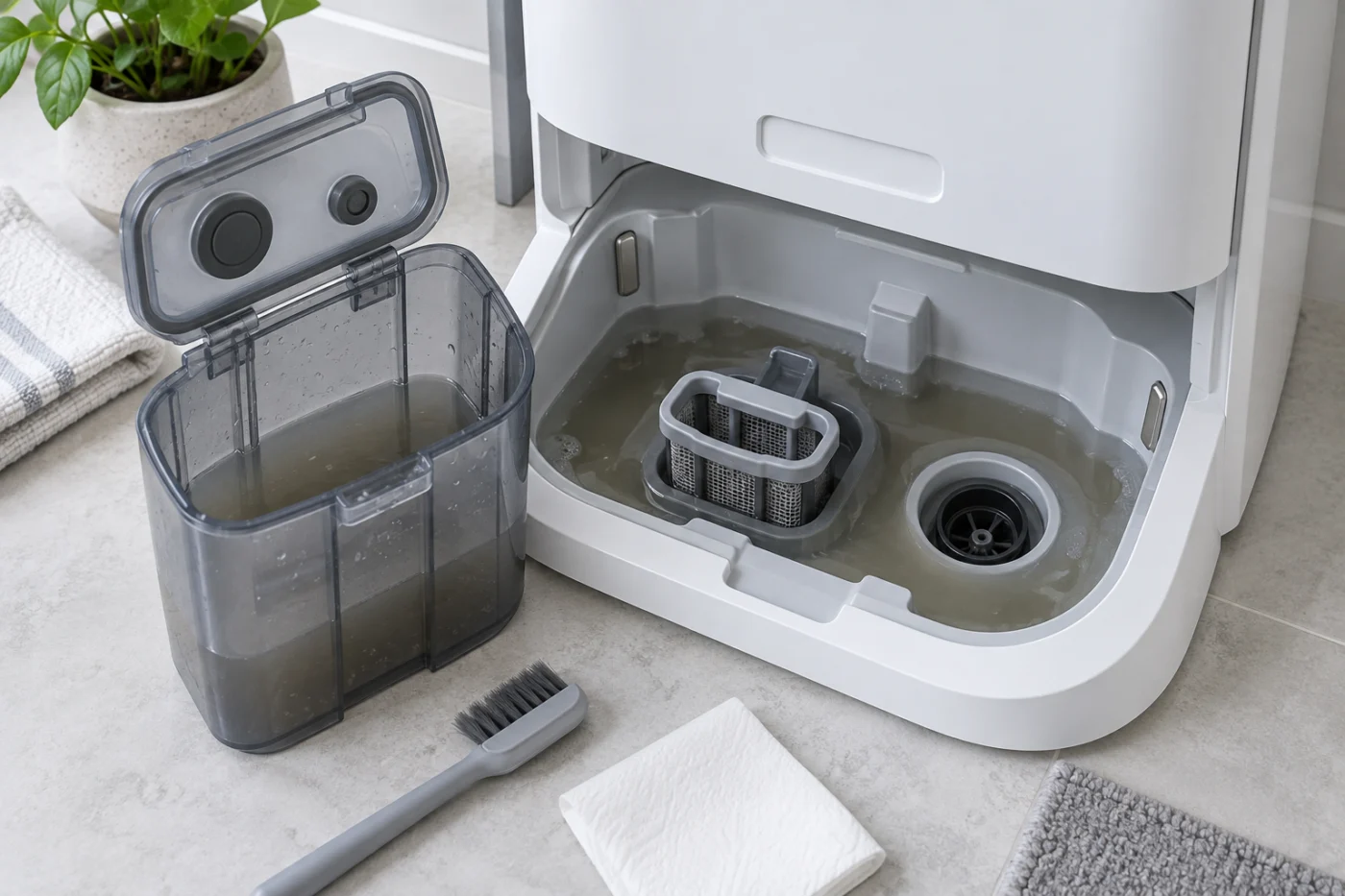
Remove the dirty-water tank from the top of the station. Empty and rinse it even if it appears nearly empty. Residue around the lid can interfere with the seal needed for the station to draw water from the cleaning sink.
- Open the tank lid and inspect its edges.
- Remove hair, residue and hardened detergent from the sealing surfaces.
- Check that the lid closes evenly on every side.
- Inspect the rubber seals and plugs for folds or displacement.
- Confirm that nothing is trapped between the lid and tank body.
Do not use sharp objects to clean rubber seals. A damaged seal may allow air into the recovery path and prevent the station from producing enough suction.
3. Reseat the tank and sealing plugs
According to ECOVACS, the dirty-water tank’s sealing plugs must be installed correctly. Open the tank cover, confirm that the plugs are seated, wait about 10 seconds, and close the cover securely.
- Place the closed tank back into its station compartment.
- Press the tank down gently and evenly.
- Check that it does not rock or remain raised on one side.
- Press the corresponding sealing areas inside the station as instructed by ECOVACS.
- Close the station’s top cover.
If dirty-water collection begins only while you hold the tank down, the tank, lid or sealing interface may be worn or incorrectly installed. Continuous manual pressure is not a permanent repair.
Improper tank seating is one of the most likely causes when the Ecovacs T20 OMNI dirty water is not being recycled but the station still makes a normal recovery sound.
4. Start the dirty-water recovery cycle
After reinstalling the tank, reconnect the station and try the recovery function again. ECOVACS instructs users to press and hold the station’s start/stop button for approximately three seconds to test whether the dirty water can be recovered.
- Make sure the waste-water tank is installed.
- Reconnect station power.
- Keep the robot away from the cleaning sink while inspecting it.
- Press and hold the station start/stop control for about three seconds.
- Listen for the recovery sound and watch whether the water level falls.
Stop the cycle if the water rises instead of falling or approaches the edge of the cleaning sink.
5. Clean the sink filter assembly
A clogged filter can restrict the path between the cleaning sink and suction opening. Hair, lint and mop residue may collect underneath the visible surface even when the upper part looks clean.
- Disconnect station power again.
- Remove any standing water that prevents safe access.
- Lift out the removable cleaning-sink filter assembly.
- Rinse the removable filter under clean water.
- Use a soft brush to remove hair and residue.
- Rinse away all loosened debris.
- Reinstall the filter in its correct position.
A filter that is installed unevenly can obstruct water flow or allow larger debris to reach the suction opening. Make sure it sits flat before starting another recovery test.
6. Inspect the visible suction opening
With the filter removed, inspect the visible suction opening in the cleaning sink. This is the point through which used water leaves the tray.
- Remove visible hair, lint or hardened residue.
- Use a soft brush or damp cloth around the opening.
- Do not insert a screwdriver, needle or wire into the internal passage.
- Do not pour drain cleaner into the station.
- Reinstall every removable sink component before testing.
If the station produces a recovery sound but the water level does not change, a blocked suction opening or loss of tank sealing should be checked before suspecting an internal pump problem.
7. Clean the water-level sensors
The station uses water-level sensing to determine whether the cleaning sink contains water. Dirty sensor surfaces can cause a false “dirty-water tank full” warning even when the tank is empty.
- Disconnect station power.
- Locate the sensor surfaces on both sides of the cleaning sink.
- Wipe them with a clean tissue or soft cloth.
- Remove detergent film, water marks and dirt.
- Dry the sensor area before reconnecting power.
ECOVACS specifically recommends wiping both sides of the cleaning sink when the station continues reporting a full tank while no water is present.
This check is particularly important when the Ecovacs T20 OMNI dirty water not recycled warning remains after the standing water has already been removed manually.
Check for excess foam or incorrect cleaning solution
Excess foam can disturb water-level detection and reduce effective recovery. Empty and rinse both tanks and the removable cleaning-sink components if you see persistent foam.
- Use only a cleaning solution approved for the model.
- Do not add dish soap, bleach, vinegar or general floor detergent.
- Do not exceed the recommended concentration.
- Rinse the tank if different cleaning products were mixed accidentally.
Run a recovery test with clean water after all foam has been removed.
Dirty-water tank empty but station says it is full
This symptom usually points to contaminated water-level sensors, incorrect tank seating or a sealing problem. Empty and reinstall the tank, wipe the sensors on both sides of the sink and restart the station.
If the false warning returns immediately while the sink is dry, record the message shown in the ECOVACS HOME app and contact support.
Station makes noise but does not collect dirty water
A recovery sound indicates that the station is attempting to operate, but it does not prove that water is moving. Check for:
- An open or unevenly closed tank lid.
- Displaced tank sealing plugs.
- A tank that is not pressed fully into position.
- A clogged cleaning-sink filter.
- Debris around the visible suction opening.
- Excessive foam in the water path.
If all visible components are clean and properly installed, the internal pump, hose or valve may need professional service.
Can you keep using the station with water in the sink?
No. Do not continue starting mop-washing cycles while dirty water is accumulating. Repeated cycles can overflow the cleaning sink and allow moisture to reach areas that are not designed to hold standing water.
Remove excess water manually, disconnect power and complete the external checks before another test.
When the OMNI station needs service
Stop troubleshooting and contact service when:
- The cleaning sink begins to overflow.
- The station leaks onto the floor.
- The pump makes grinding, clicking or unusually loud sounds.
- The tank, lid or sealing plugs are cracked.
- The warning returns immediately with a clean, dry sink.
- There is a burning smell or visible electrical damage.
- Dirty water still cannot be recovered after every external check.
Do not dismantle the station to access internal hoses or powered components. Photograph the tank seals, cleaning sink and warning displayed in the app before contacting support.
Related robot vacuum troubleshooting guides
Browse the Ecovacs troubleshooting section or visit the complete robot vacuum repair guide directory.
For similar water-system problems, see:
- Dreame L10s Ultra Not Dispensing Water
- Roborock Q Revo Mop Pads Not Getting Wet
- Roomba j7 Not Charging
Official ECOVACS reference
ECOVACS provides model-specific instructions for dirty-water recovery, tank seals, cleaning-sink maintenance and sensor cleaning in its official T20 OMNI support article.
Final check
Most Ecovacs T20 OMNI dirty water not recycled problems can be narrowed down by restarting the station, closing and reseating the waste tank, checking its seals, cleaning the sink filter and suction opening, and wiping both water-level sensors.
If dirty water still remains in the cleaning sink after these checks, stop repeated recovery attempts. The station’s internal pump, hose, valve or sensing circuit may require authorized service.