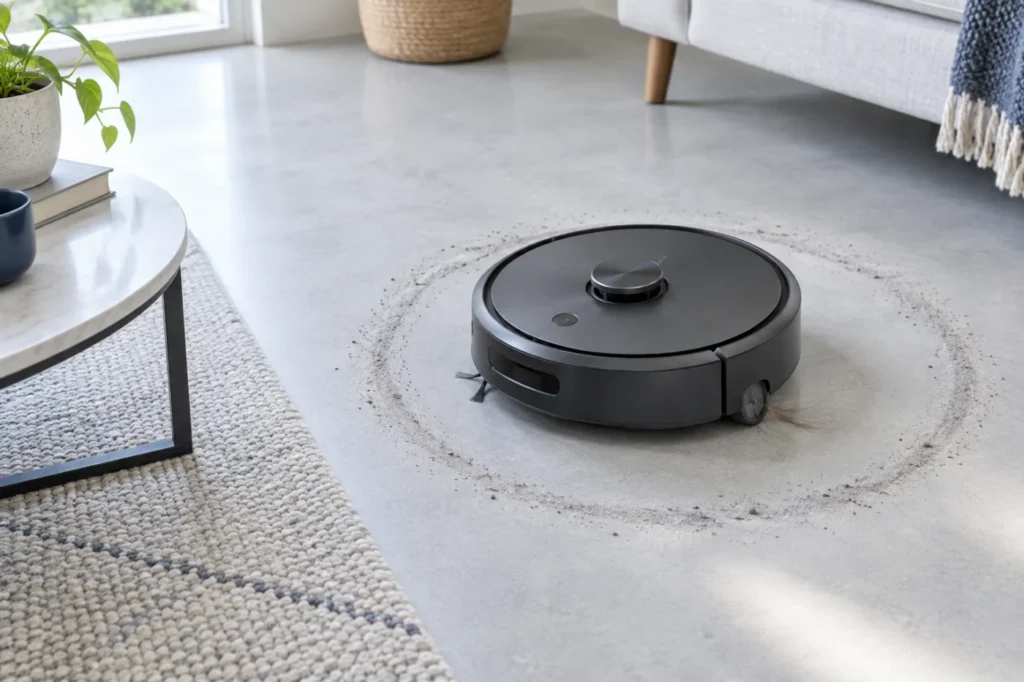
Begin with the quick checks. Stop if a step requires tools or experience you do not have.
Quick answer: A Roomba j7 spinning in circles is usually reacting to unequal drive-wheel movement, a blocked front caster, a sticking bumper, dirty cliff sensors, or a temporary navigation error. Compare both drive wheels before deleting maps or replacing parts. If one wheel is harder to press or rotate than the other, clean that wheel area first.
The Roomba j7 steers by changing the speed and direction of its two independently driven wheels. If one wheel cannot move normally, the robot may rotate toward the restricted side instead of travelling in a straight line. Sensor and bumper problems can produce similar behaviour because the robot may repeatedly attempt to avoid an obstacle that is not actually present.
A Roomba j7 spinning in circles does not automatically mean that its navigation camera or motherboard has failed. Begin with the external mechanical checks below, test the robot on a clean level floor, and use any error message in the iRobot Home app to narrow the cause.
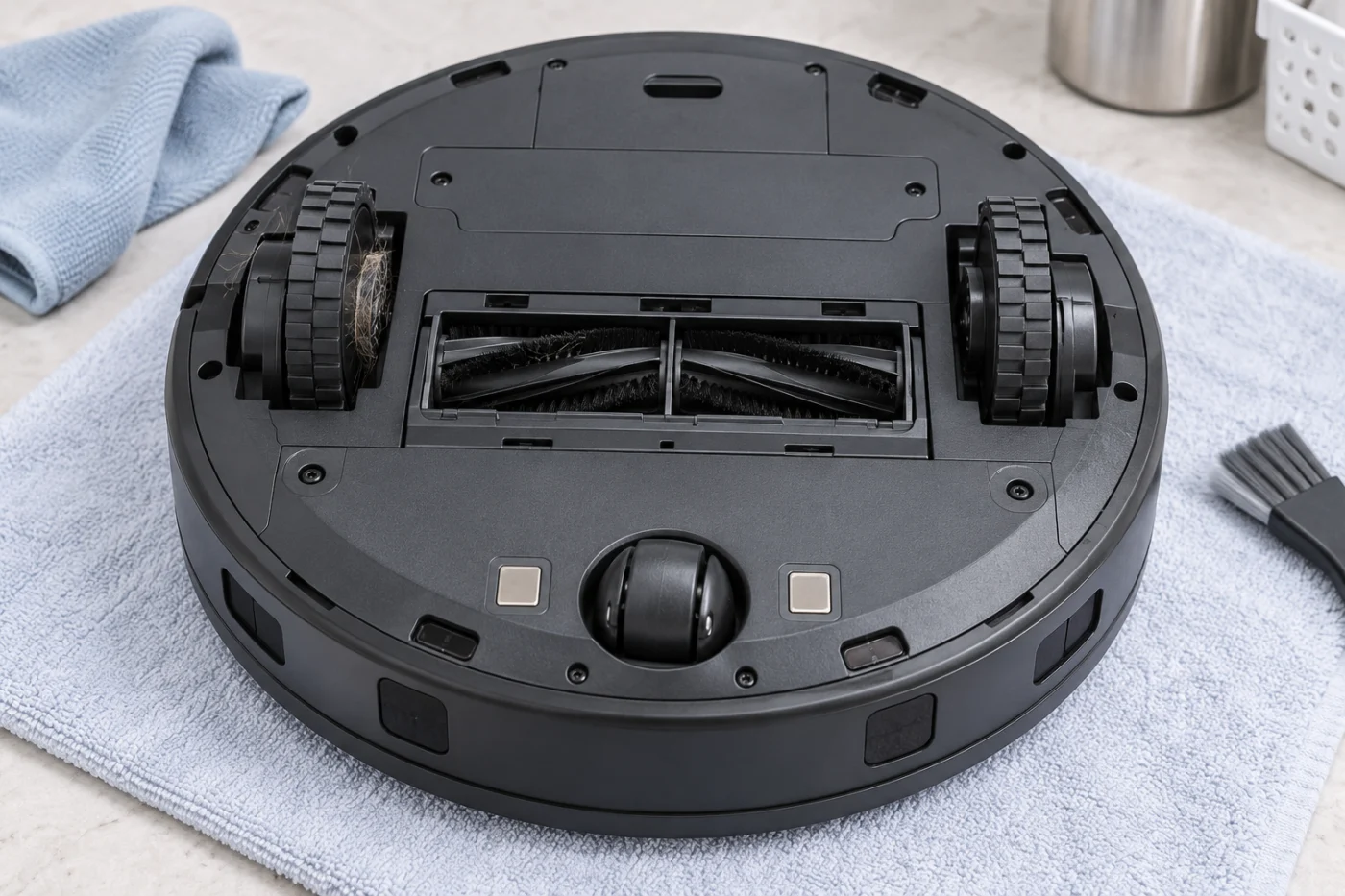
Before troubleshooting the Roomba j7
- Pause the cleaning job and switch the robot off.
- Place it upside down on a clean, soft towel.
- Remove the dust bin before handling heavily so debris does not spill.
- Do not force either drive wheel or pull it beyond its normal travel.
- Do not pour water or cleaning solution into the wheel or sensor openings.
- Stop if you hear grinding or find a loose, cracked, or overheated component.
Open the iRobot Home app and record any displayed error number. A wheel, bumper, or “stuck” message is more useful than deleting the map immediately.
Roomba j7 spinning in circles: what to check first
| What the robot does | Most likely area | First check |
|---|---|---|
| Always turns toward the same side | Drive wheel on that side | Compare wheel resistance and spring movement |
| Turns, stops and reverses repeatedly | Bumper or cliff sensors | Clean the sensors and press the bumper around its edge |
| Moves normally after being lifted | Floor condition or caster | Test on a clean, hard, level floor |
| Circles only in a dark room | Navigation visibility | Improve lighting and clean the front camera area |
| Circling started after picking up hair | Wheel, caster or brush | Remove wrapped hair and thread |
| App reports a wheel error | Wheel module | Clean and retest before arranging service |
1. Compare both drive wheels
The two large rubber wheels should have similar movement. Unequal wheel travel is the first thing to investigate when a robot continuously turns toward one side.
- Place the robot upside down on a soft towel.
- Press one drive wheel gently into its housing and release it.
- Repeat the same movement with the other wheel.
- Compare how freely both wheels move and return.
- Turn each wheel slowly by hand without forcing it.
Some motor resistance is normal. The important result is whether one side feels noticeably tighter, does not spring back, produces a grinding sound, or stops at a particular position.
If the Roomba j7 is spinning in circles toward the left, examine the left wheel carefully. If it turns toward the right, start with the right wheel. The restricted wheel is commonly on the inside of the robot’s circular path.
2. Remove hair and debris from the wheels
Hair, carpet fibre and thread can collect beside a drive wheel or around its axle. The obstruction may be hidden when the wheel is fully extended.
- Press the wheel gently into its housing.
- Inspect the opening around the wheel with good lighting.
- Pull out loose hair using your fingers or blunt tweezers.
- Rotate the wheel slowly and inspect the complete circumference.
- Repeat the process on the opposite side.
Do not push debris farther into the wheel module. Avoid using oil, silicone lubricant, compressed liquid cleaner, or sharp metal tools.
Check the edge-cleaning brush and main brush area at the same time. A tightly wrapped cord can drag on the floor and make a wheel problem appear worse. Our guide to a robot vacuum main brush that is not spinning explains how wrapped hair can restrict rotating components.
3. Clean the front caster wheel
The small front caster must rotate and swivel freely. If it points sideways or becomes packed with hair, the caster can pull the robot away from a straight path.
- Remove loose hair from around the caster.
- Check that the wheel rolls smoothly.
- Turn the caster assembly through its normal range.
- Clean debris from the surrounding recess.
- Make sure the caster is seated correctly before testing.
Test the robot on a smooth hard floor after cleaning. Deep carpet can hide an improvement because the pile continues to resist the caster and wheels.
4. Check the bumper for free movement
The front bumper tells the Roomba when it has contacted an object. If part of the bumper remains pressed inward, the robot may repeatedly turn away from an obstacle that is not there.
- Stand the robot upright on a level surface.
- Press the bumper gently at the left, centre and right positions.
- Release it after each press.
- Confirm that the bumper returns smoothly and evenly.
- Remove visible debris from the narrow gap around the bumper.
Do not pull, bend or strike the bumper. If one side remains recessed or the bumper looks dislodged, follow the official iRobot procedure or arrange service.
A bumper problem is especially likely when a Roomba j7 spinning in circles also stops, reverses, or repeatedly bumps into open space.
5. Clean the cliff sensors and camera area
Cliff sensors help prevent the robot from falling down stairs. Dust or dark residue over a sensor can make the Roomba believe that a drop is directly in front of it. The robot may then turn repeatedly while searching for a safe direction.
- Locate the cliff-sensor windows around the underside edge.
- Wipe each window with a clean, dry microfiber cloth.
- Do not insert tools into the sensor openings.
- Do not spray cleaner directly onto the sensors.
- Check that stickers, protective film or debris are not covering them.
Carefully wipe the front-facing navigation camera area with a clean microfiber cloth. Test the robot in a well-lit room. The j7’s visual navigation can perform poorly when the room is extremely dark or the camera surface is obscured.
6. Test on a clean, level floor
Move the Roomba to an open section of hard flooring away from stairs, black rugs, reflective surfaces, loose cables and direct sunlight. Start a short cleaning run and observe its first minute of movement.
If it drives normally in the test area, the original location may contain a difficult floor transition, a dark pattern that affects cliff-sensor readings, or an obstacle that restricts one wheel.
If the Roomba j7 keeps spinning in circles in every room and always turns in the same direction, a mechanical wheel or bumper problem becomes more likely than a map problem.
7. Reboot the Roomba without deleting its map
Rebooting clears a temporary operating state while preserving maps and schedules. Perform this only after cleaning and comparing the wheels, caster, bumper and sensors.
- Remove the robot from its charging base.
- Press and hold the CLEAN/power button for approximately 10 seconds.
- Release the button and wait for the robot to shut down.
- Press and hold the button for approximately 3 seconds to restart it.
- Return the robot to the base and wait for it to reconnect.
- Start another test in an open, well-lit area.
Button behaviour may differ between software versions. If the robot does not respond, use the reboot instructions shown for your model in the iRobot Home app.
A factory reset should not be the first response to a Roomba j7 navigation problem. It may remove saved maps and settings without repairing a restricted wheel or sticking bumper.
Should you delete the map?
Delete or rebuild the map only when the robot moves normally during an open-floor test but behaves incorrectly in one mapped area. A damaged map will not normally make one drive wheel harder to move or cause the robot to turn continuously toward the same side.
Before deleting anything:
- Confirm that both wheels feel equal.
- Clean the caster and cliff sensors.
- Verify that the bumper returns freely.
- Reboot the robot.
- Run a temporary cleaning job in an open area.
When a wheel module may need service
A wheel module or its movement sensor may require service when:
- One wheel is consistently harder to turn or press.
- A wheel does not spring back after being released.
- The robot repeatedly reports a left- or right-wheel error.
- The same wheel produces clicking, grinding or intermittent movement.
- The robot always circles toward the same side after cleaning and rebooting.
- The behaviour started after a fall, impact or liquid exposure.
Do not force a binding wheel or open its motor. Record a short video of the behaviour and photograph the wheel and bumper areas before contacting support. This evidence can make warranty or service diagnosis easier.
Why is my Roomba j7 suddenly spinning in circles?
A sudden change commonly follows hair entering a wheel, debris blocking the caster, a bumper becoming stuck, or dust covering a sensor. If the behaviour began immediately after an impact or fall, inspect the bumper and wheel alignment before running another cleaning job.
Why does the Roomba turn only to one side?
The two drive wheels control direction independently. When one wheel moves more slowly than the other, the robot turns toward the slower side. Compare both wheel modules for equal spring movement and similar resistance.
Can dirty sensors make a Roomba go in circles?
Yes. Contaminated cliff sensors or an obstructed front camera can cause repeated avoidance manoeuvres. Clean sensor surfaces with a dry microfiber cloth and test in a well-lit room.
Can a low battery cause circling?
A severely depleted battery can produce incomplete or interrupted operation, but consistent circling toward one side is more commonly associated with wheels, the caster, bumper or sensors. If charging is also unreliable, follow our Roomba j7 not charging guide.
Related troubleshooting guides
Browse the complete Roomba troubleshooting section or visit the robot vacuum repair guide directory.
You may also need:
- Roomba j7 Not Charging: 7 Fixes That Work
- Roborock S8 Main Brush Not Spinning
- Roborock Q Revo Mop Pads Not Getting Wet
Official support reference
For model-specific bumper procedures, wheel errors, warranty assistance and replacement parts, visit the official iRobot Support Center. iRobot also provides a dedicated bumper inspection guide.
Final check
Most Roomba j7 spinning in circles problems can be narrowed down by comparing both drive wheels, removing wrapped hair, cleaning the front caster and sensors, testing the bumper, and rebooting the robot.
If the robot still turns toward the same side on a clean level floor, especially with a wheel error or grinding sound, stop forcing the mechanism. The affected wheel module, bumper assembly, or navigation hardware should be inspected by an authorized service provider.